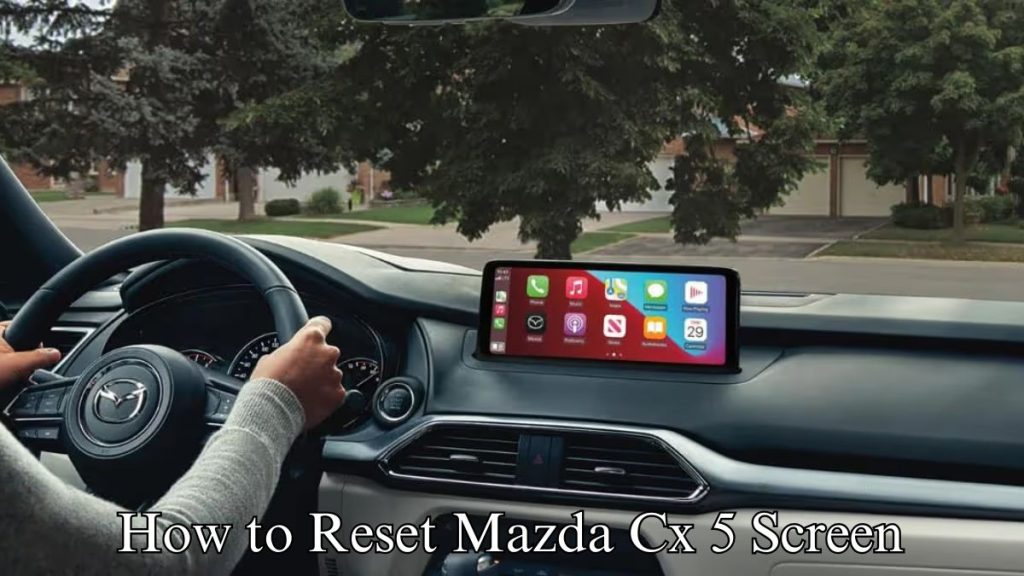
Are you thinking about getting a Mazda CX-5 and wondering if it supports Apple CarPlay? Staying connected while driving is important, and Apple CarPlay makes it easy to use your iPhone safely on the road.
But does the Mazda CX-5 have this feature? You’ll discover the truth about Apple CarPlay in the CX-5 and what it means for your driving experience. Keep reading to find out how this feature can change the way you drive and stay connected.
Apple Carplay Compatibility
Apple CarPlay allows drivers to use their iPhone safely while driving. It mirrors your phone’s screen on the car’s display. This lets you access apps, music, maps, and messages easily. Mazda CX-5 supports Apple CarPlay, but availability depends on the model year and trim. Understanding which models have this feature helps buyers make informed decisions.
Mazda Cx-5 Model Years With Carplay
Apple CarPlay first appeared in the Mazda CX-5 in the 2018 model year. Models from 2018 and newer generally support CarPlay. Earlier models do not offer this feature. Some 2018 versions may need a software update to activate it. Always check the specific model year and trim to confirm compatibility.
Standard Vs Optional Features
In some Mazda CX-5 trims, Apple CarPlay comes as a standard feature. Higher trims usually include it by default. Lower trims might offer CarPlay as an optional add-on. This depends on the package or region. Confirm with the dealer whether CarPlay is included or requires extra cost.
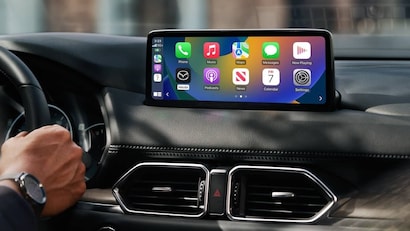
Credit: www.autonationmazdacarlsbad.com
Setup And Activation
Setting up Apple CarPlay in your Mazda CX-5 is simple. It helps you use your iPhone safely while driving. This section shows how to connect and activate CarPlay. Also, it covers common problems and fixes.
Connecting Iphone To Mazda Cx-5
Start your Mazda CX-5 and unlock your iPhone. Use a Lightning cable to connect your phone to the USB port. The port is usually marked with a smartphone icon or “USB.”
The Mazda infotainment screen will show the CarPlay icon. Tap the icon to start Apple CarPlay. You may need to allow CarPlay access on your iPhone. Go to Settings > General > CarPlay to check.
Once connected, you can use apps, maps, music, and calls through the Mazda screen. Voice commands work with Siri for safer control.
Troubleshooting Common Issues
If CarPlay does not connect, check your cable first. A damaged or non-certified cable can cause problems. Try another cable if needed.
Make sure your iPhone is updated to the latest iOS version. Restart your iPhone and Mazda system if CarPlay still won’t work.
Check the Mazda infotainment system settings. CarPlay might be turned off in the settings menu. Enable it to allow connection.
Sometimes, resetting the infotainment system helps. Refer to your Mazda CX-5 manual for reset instructions.
Carplay Features In Mazda Cx-5
The Mazda CX-5 offers a smooth connection with Apple CarPlay. This feature makes driving simpler and safer. It brings your iPhone apps right to the car’s display. You can control many functions without touching your phone. The interface is clear and easy to use. Below are some key CarPlay features in the Mazda CX-5.
Navigation And Maps
Apple CarPlay displays Apple Maps on the CX-5 screen. It offers real-time directions and traffic updates. Voice commands let you set destinations without distraction. The map shows clear routes and estimated arrival times. You can also use other navigation apps like Google Maps or Waze. This helps you reach your destination faster and easier.
Music And Audio Controls
CarPlay lets you play music from your iPhone through the car’s speakers. It supports Apple Music, Spotify, and other apps. You can browse playlists and albums using the touchscreen. Voice control lets you change songs hands-free. This keeps your focus on the road while enjoying your favorite tunes.
Hands-free Communication
With CarPlay, you can make and receive calls safely. Siri reads your messages aloud and helps you reply by voice. This reduces the need to look at your phone. The system also syncs your contacts for easy calling. Staying connected while driving becomes safer and simpler.

Credit: www.bayridgemazda.com
Benefits Of Apple Carplay
Apple CarPlay brings many benefits to drivers, making the drive safer and easier. It connects your iPhone to your car’s display, giving access to apps and features. This helps you stay focused on the road while using your phone’s functions.
CarPlay improves the driving experience by offering smart controls and easy access to important tools. It is designed to reduce distractions and keep essential apps at your fingertips.
Enhanced Safety
Apple CarPlay lets you use voice commands to control your phone. This means you can keep your hands on the wheel and eyes on the road. It reads messages aloud and allows safe replies by voice. Navigation apps provide clear directions without looking down. This lowers the risk of accidents caused by phone use.
Convenience On The Road
CarPlay shows apps like maps, music, and calls on your car’s screen. You can play your favorite songs or podcasts with simple taps or voice commands. It syncs with your contacts and calendar for easy calling and scheduling. The interface is easy to use, reducing stress during driving. CarPlay helps keep your journey smooth and connected.
Alternatives To Apple Carplay
Not every driver prefers Apple CarPlay. Some want other ways to connect their phone to the car’s system. Mazda CX-5 offers several options. These alternatives still provide smart phone integration and easy access to apps while driving. They keep you connected without distraction.
Android Auto Compatibility
Android Auto works well with many Mazda CX-5 models. It lets drivers use Google Maps, play music, and send messages safely. The system mirrors apps from Android phones onto the car’s screen. This feature is simple to set up and use. It keeps the focus on driving and reduces phone use.
Mazda Connect System Features
Mazda Connect is the built-in system in the CX-5. It supports Bluetooth for calls and music. The system allows voice commands for hands-free control. Navigation and entertainment apps come with the interface. It also lets drivers customize settings for a better experience. Mazda Connect works smoothly even without Apple CarPlay.
Future Updates And Improvements
The Mazda CX-5 continues to evolve with new technology updates. Apple CarPlay is an essential feature many drivers want. Mazda plans to improve this feature through future updates. These updates aim to make driving safer and more enjoyable.
Software Updates
Mazda releases software updates to enhance Apple CarPlay functionality. These updates fix bugs and improve system speed. Drivers can expect smoother connections with their iPhones. Mazda often adds new features to improve user experience. Updates usually install via USB or wireless connection.
Upcoming Mazda Models
New Mazda models will likely have better Apple CarPlay integration. Mazda designs these models to support the latest tech. They include updated infotainment systems with faster response times. Future CX-5 versions may offer wireless Apple CarPlay. This makes it easier to connect without cables.

Credit: www.youtube.com
Frequently Asked Questions
Does Mazda Cx-5 Support Apple Carplay?
Yes, Mazda CX-5 supports Apple CarPlay in most recent models. It enables seamless iPhone integration for navigation and media.
Which Mazda Cx-5 Model Year Has Apple Carplay?
Apple CarPlay became standard in Mazda CX-5 from the 2018 model year onward. Older models may lack this feature.
How To Connect Iphone To Mazda Cx-5 Apple Carplay?
Connect your iPhone via USB or Bluetooth to the Mazda CX-5. Follow on-screen prompts to enable Apple CarPlay.
Is Apple Carplay Wireless Available In Mazda Cx-5?
Some newer Mazda CX-5 models offer wireless Apple CarPlay. Check specific trim levels or consult the dealer for confirmation.
Conclusion
Mazda CX-5 supports Apple CarPlay in most recent models. This feature helps drivers connect their iPhones easily. It allows safe use of apps, maps, and music while driving. Older models might not have this option built-in. Checking your car’s model year is important before buying.
Apple CarPlay adds convenience and keeps you focused on the road. It’s a useful tech addition for many drivers. Overall, Mazda CX-5 offers good support for Apple CarPlay.